
Close Menu
WordPress ExpertsWordPress Experts
    Facebook
    WordPress ExpertsWordPress Experts
    • Technology
      • AI & Machine Learning
      • Cloud Computing
      • Cybersecurity
      • Software Reviews
    • CRM
      • Freshworks
      • HubSpot
      • Microsoft Dynamics
      • Open Source CRM
      • Salesforce
      • Zoho
    • Programming
      • WordPress
        • WordPress Errors
        • WordPress Themes
        • WordPress Performance
        • WordPress Plugins
        • WordPress SEO
          • Google AdSense
        • Vulnerabilities
        • Responsive WordPress Themes
        • WooCommerce
          • WooCommerce Tips
        • WordPress Security
          • Wordfence
    • Web Development
    • Web Hosting
    • Digital Marketing
    • Contacts
      • Write for Us
      • Fix Hacked WordPress Site
      • Web Design Services
      • Page Builder Services
      • Woocommerce Services
      • WordPress Forms Services
      • WordPress LMS Development Services
      • WordPress Maintenance & Support Services
    Facebook
    WordPress ExpertsWordPress Experts
    Home»Blog»Unblock the Interwebs: Fixing the “Your Connection is Not Private” Error
    Blog

    Unblock the Interwebs: Fixing the “Your Connection is Not Private” Error

    WP Experts TeamBy WP Experts TeamJanuary 23, 2024Updated:January 23, 2024No Comments3 Mins Read
    Share Facebook Twitter LinkedIn Reddit Telegram Email WhatsApp
    Your Connection is Not Private-error
    Share
    Facebook Twitter LinkedIn Email Telegram WhatsApp
    Your Connection is Not Private-error

    Stuck in Traffic? Navigating the "Your Connection is Not Private" Error

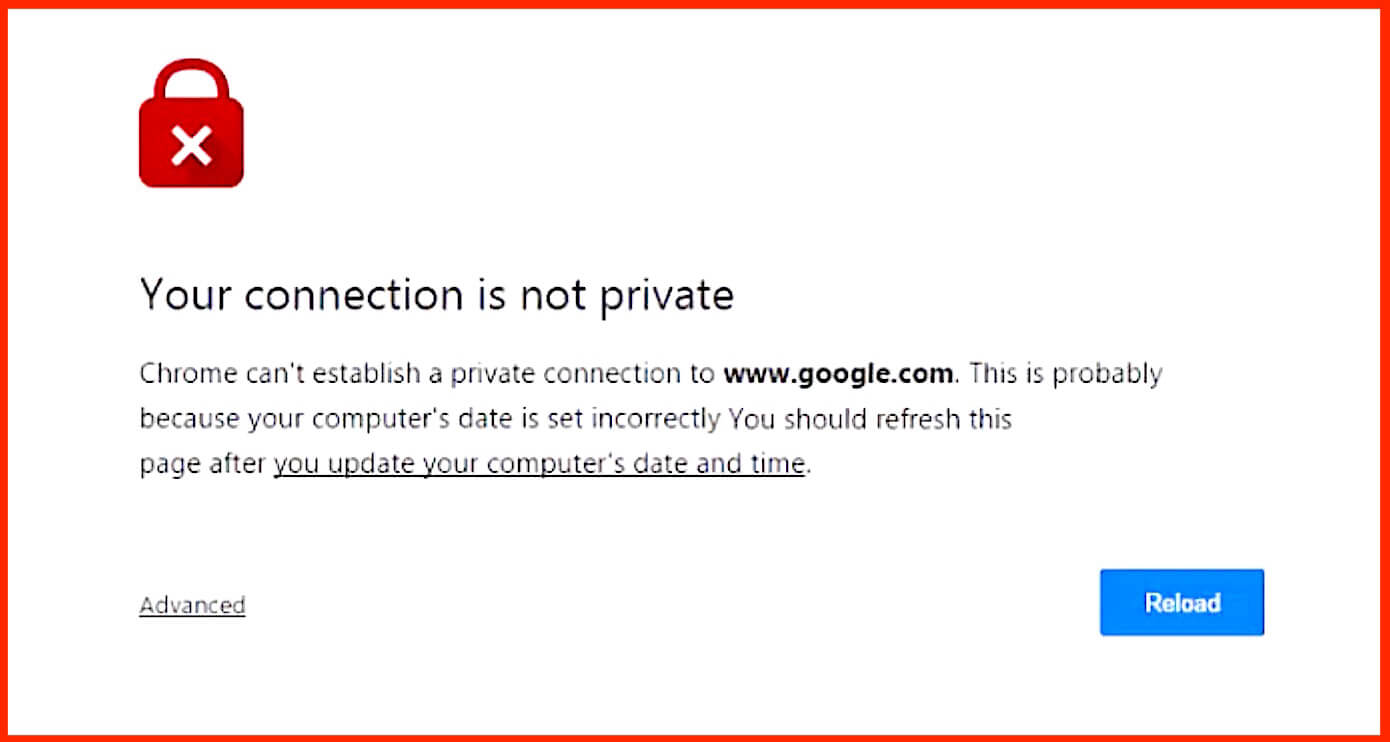
    The internet’s vast landscape beckons, but sometimes, instead of smooth sailing, you’re met with a roadblock: the ominous “Your connection is not private” error. It’s like the digital world throwing up a giant “STOP” sign, leaving you wondering what went wrong. Fear not, fellow voyagers! This guide will equip you with the knowledge and tools to navigate this roadblock and get back to your online journey.

    Understanding the Warning Sign:

    This error essentially means your browser suspects the website you’re trying to visit is wearing a digital mask. Websites use a special security measure called an SSL certificate, like a digital ID, to verify their identity and keep your data safe. If your browser detects any issues with this ID, like being expired or fake, it throws up the warning to protect you.

    Fixing the Blockade:

    No need to panic! Several detours can lead you back to the smooth online highway. Here are some options to try:

    1. Simple U-Turn: Sometimes, a quick reload of the page can clear the glitch. It’s the internet equivalent of turning the computer off and on again!
    2. Check Your Bridge: A weak or unstable internet connection can also cause this error. Try restarting your router or switching to a different Wi-Fi network.
    3. Clean Up Your Backseat: Outdated browser data like cookies and cache can be digital clutter, causing connection issues. Clearing them can be like decluttering your online space.
    4. Time Check: Even your computer’s clock needs to be accurate! An incorrect date or time can throw off website security checks. Set the time right, and you’re good to go.
    5. Firewall Friend or Foe? Your antivirus or firewall might be overprotective, blocking secure connections unintentionally. Try temporarily disabling them to see if it helps.
    6. Incognito Mode Escape: Browser extensions can sometimes be the culprits. Open the website in incognito mode, which disables extensions, and see if the error persists.
    7. Upgrade Your Ride: Outdated browsers might not be compatible with the latest security measures. Updating your browser ensures you have the smoothest journey possible.
    8. Switch DNS Lanes: Your DNS server translates website names to addresses. Try switching to a reliable DNS server like Google Public DNS or Cloudflare DNS for a change of pace.
    9. Direct Line to the Website: If all else fails, reach out to the website owner. They might be unaware of the issue and appreciate your feedback.

    Advanced Maneuvers:

    For the tech-savvy adventurers, a few advanced tools can help in extreme cases, but use them with caution:

    • Bypass the Blockade (Carefully): Most browsers allow bypassing the warning, but only do this if you’re absolutely sure the website is safe.
    • Import the Certificate: This technical maneuver involves adding the website’s certificate directly to your computer’s trusted store. Do this only if you’re comfortable with advanced computer settings.

    Remember: This error is your browser’s way of looking out for your online safety. Take it seriously, follow these tips, and you’ll be cruising through the internet in no time!

    Share. Facebook Twitter LinkedIn Email Telegram WhatsApp
    Previous ArticleCustom WordPress Development vs. Pre-built Themes: Which Is Right for You?
    Next Article Increase WooCommerce Sales with These 10 Proven Digital Marketing Strategies
    WP Experts Team
    • Website

    As a global digital solutions partner, we empower businesses with integrated technology platforms. We specialize in crafting high-performance WordPress websites—from custom design and SEO-optimized content to robust e-commerce. Furthermore, we unlock growth by implementing and optimizing Salesforce, streamlining your CRM, and automating sales and service processes. From your digital storefront to your customer relationships, we provide end-to-end solutions to achieve your online goals.

    Related Posts

    Blog

    Freelance WordPress Developers in Sydney, Australia

    January 9, 2026
    Blog

    Website Design Services in Goa: Grow Your Business Online

    December 17, 2025
    Blog

    Write for Us – Submit Guest Post (Technology, WordPress, CRM & AI)

    December 2, 2025
    Add A Comment

    Comments are closed.

    fix hacked wordpress websites and remove malware
    fix wordpress issues
    create a wordpress website with elementor
    fix woocommerce issues and customize theme
    migrate or clone wordpress site to new host or domain
    Top Articles

    How to Fix WordPress Login Page Refreshing and Redirecting Issue (2026 Complete Guide)

    January 28, 2026

    How to Fix “White Text” and Missing Buttons in WordPress Editor (The 2026 Guide)

    January 27, 2026

    Best Clone App Development Companies to Multi-Service (Super) Apps

    January 22, 2026

    How to Sell Personalized Products in WooCommerce Using File Uploads

    January 22, 2026
    Facebook
    • Client Experiences
    • WordPress Forms Services
    • Page Builder Services
    • Woocommerce Services
    • WordPress Migration Services
    • WordPress Maintenance & Support Services
    • Fix Hacked WordPress Site
    • WordPress LMS Development Services
    • Web Design Services
    © 2026 WordPress Experts All rights reserved

    Type above and press Enter to search. Press Esc to cancel.